iPhone · Photo cleaner
Your camera roll,
finally clean.
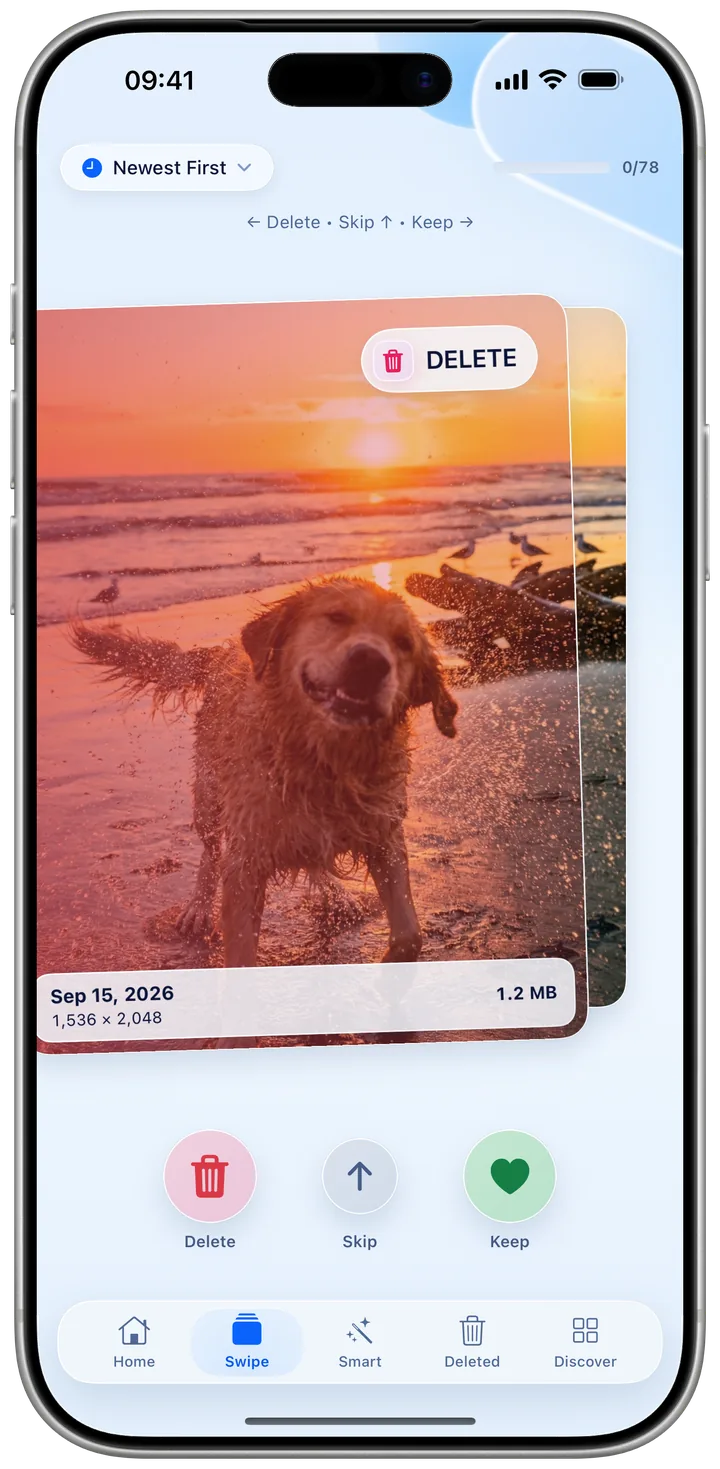
Kipply turns months of clutter into a few minutes of swiping. Flick left to delete, right to keep — duplicates, blurry shots and screenshots, all sorted on your iPhone.
Your photos never leave your iPhone.
Smart scan
See exactly what's
eating your storage.
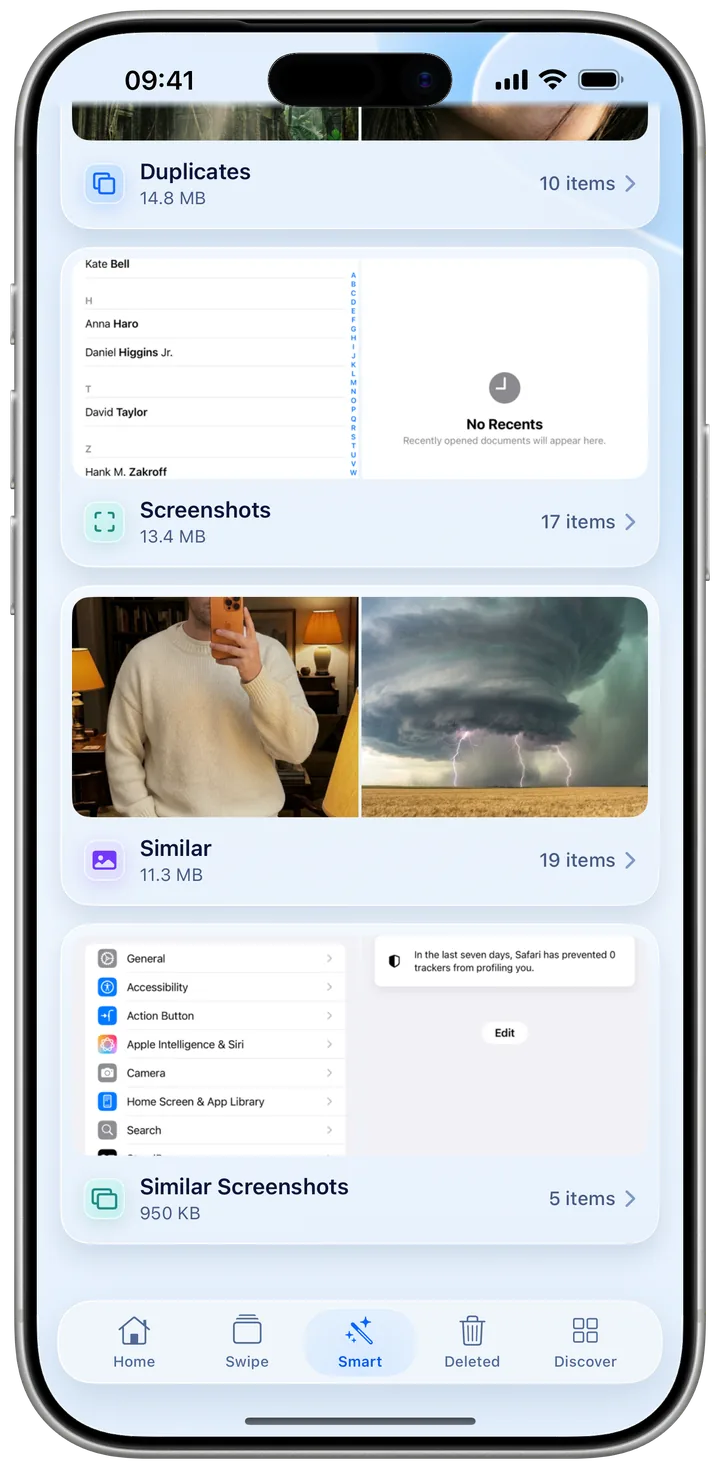
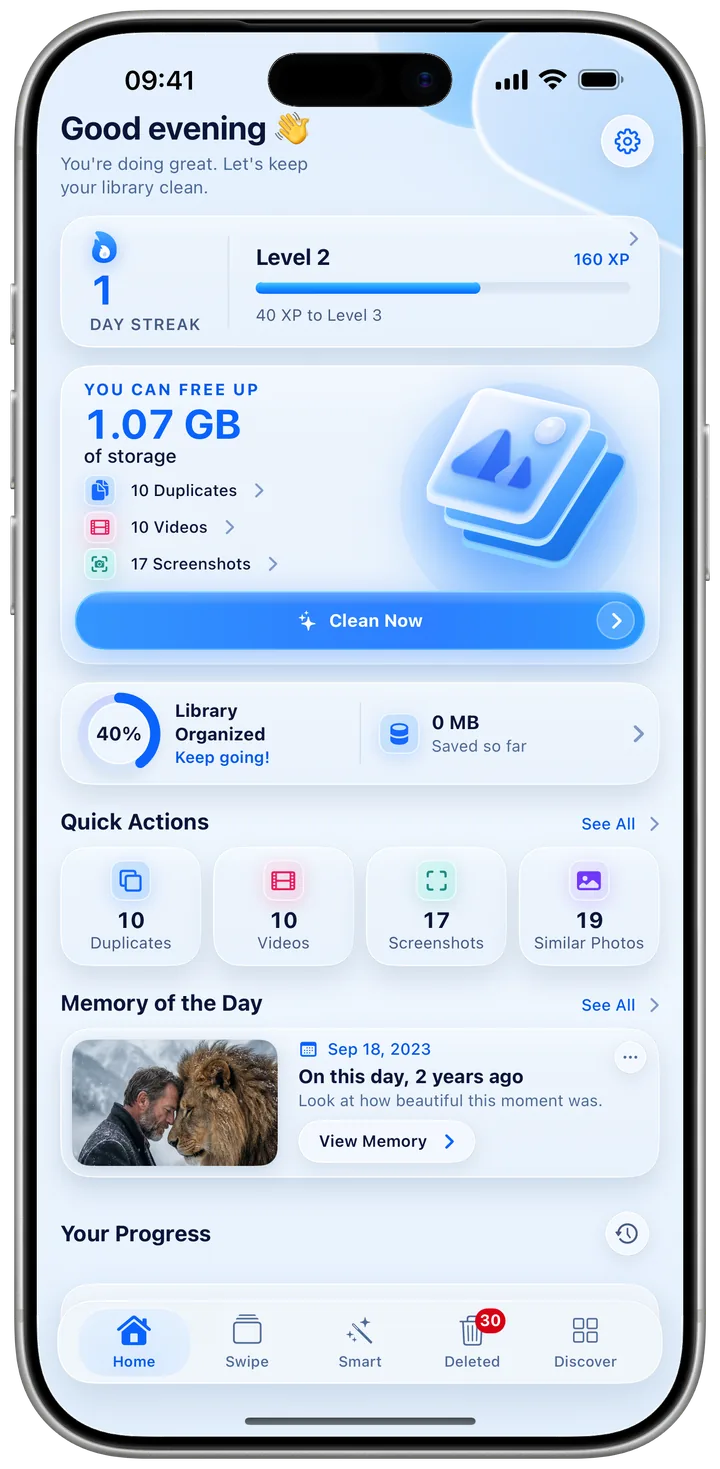
Kipply scans your whole library on device and groups the clutter — duplicates, blurry frames, screenshots and look-alikes — with a live count and the space you'll get back.
What it catches
Kipply knows what's worth keeping.
On-device detection surfaces the clutter that quietly piles up — so you spend your swipes on the photos that actually matter.
Duplicates
Burst shots and near-identical copies grouped together, so you keep the best one and bin the rest.
Blurry shots
Out-of-focus and motion-blurred frames flagged automatically, ready to clear in a swipe.
Screenshots
Receipts, memes and one-off captures you saved and forgot — rounded up in one place.
Space-hungry videos
The handful of long clips eating most of your storage, sorted so you can see exactly what's worth keeping.
Memory Lane
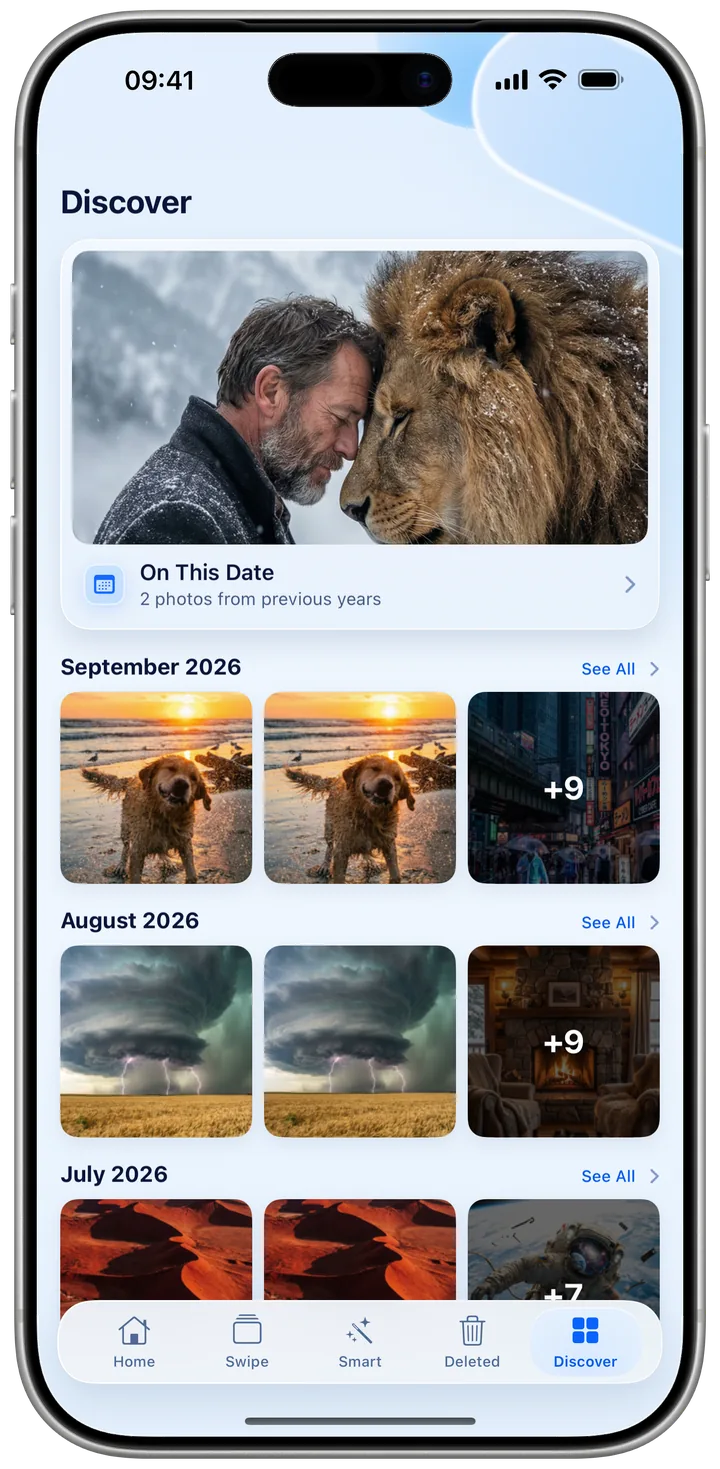
Rediscover photos from this day in past years and browse memories by month while you tidy up.
Nothing's gone until you say so
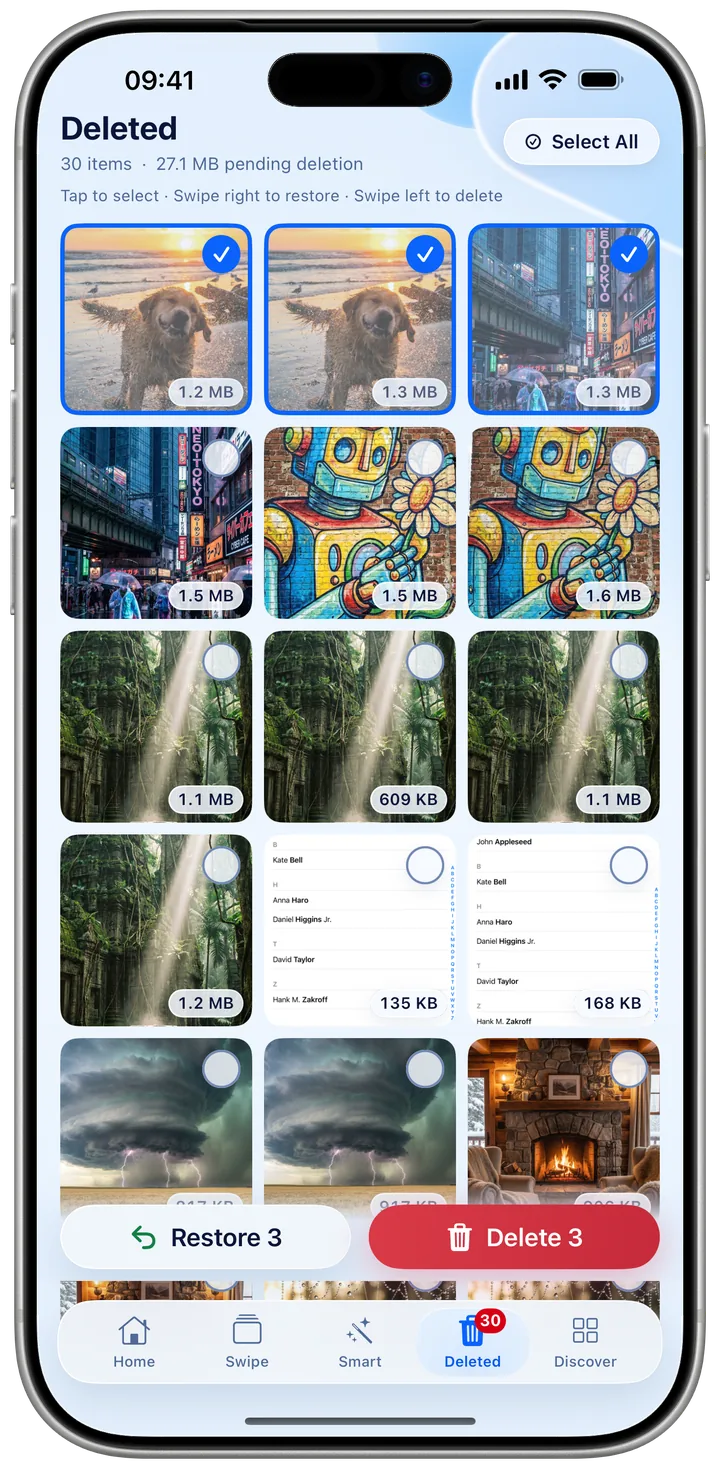
Every swipe is undoable, and binned photos sit safely in the Deleted tab. You confirm the final removal — so you never lose a keeper by reflex.
How it works
Three steps to a lighter library.
Grant access
Give Kipply permission to read your library. Every scan runs right on your iPhone — nothing is uploaded.
Swipe to decide
Flick left to bin a photo, right to keep it. Move through hundreds in a single sitting.
Confirm & reclaim
Binned photos wait in the Deleted tab. Review, remove them for good, and watch the gigabytes come back.
10-second undo on every swipeYour photos never leave your iPhone.
Kipply scans and sorts entirely on device. No account, no photo uploads, no cloud copies — your library stays exactly where it is.
Win your storage back this afternoon.
Free up space without the dread. Download Kipply and start swiping.
Download on theApp Store